Creating a UE5 project
Fire up Unreal Engine 5 from the Epic Games Launcher, and create a new project. We’ll use this to develop some of our mods.
-
Pick the “Blank” template, ensure the type is
Blueprint(notC++) and give the project a location and name. In order to work with the game, we need to call the projectSubnautica2as our assets need to match the structure of the game: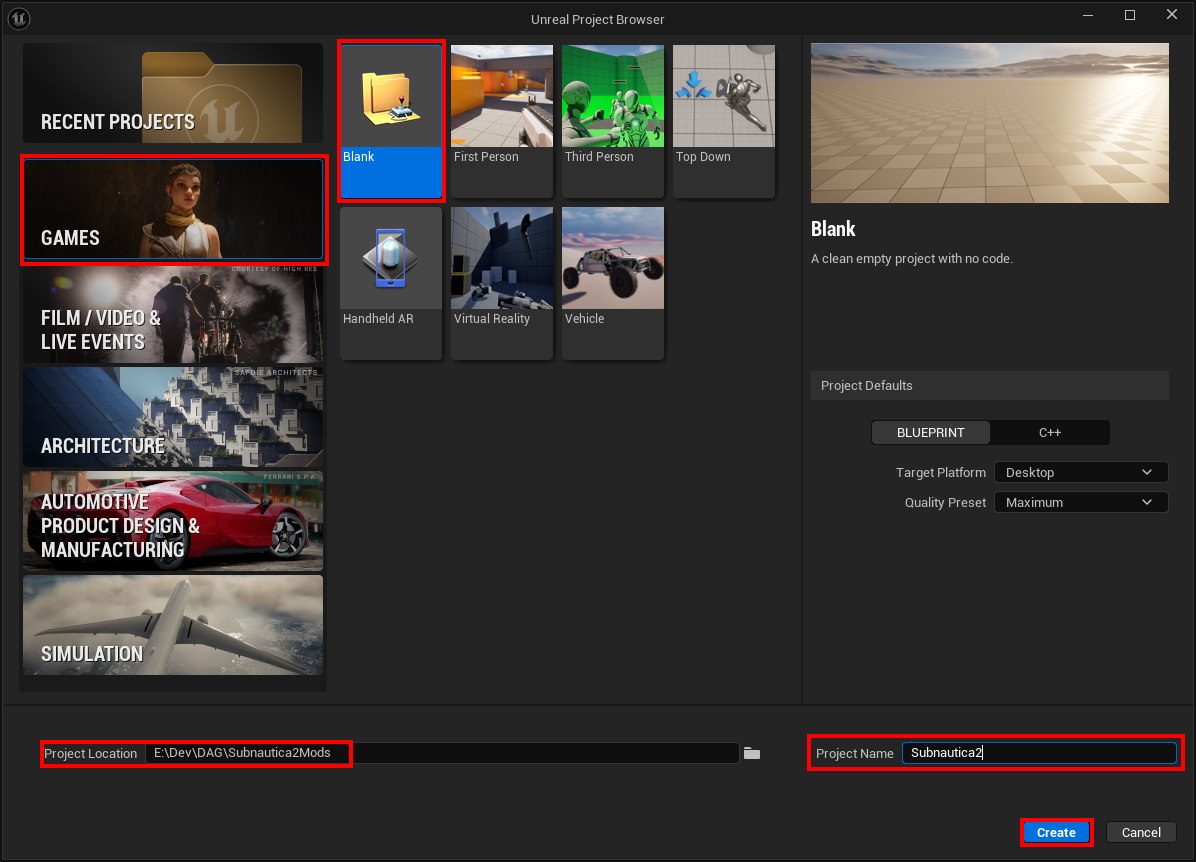
-
Click “Create”
-
First up, let’s add GAS - the Gameplay Ability System. This is used for a number of things in Subnautica 2, and we can leverage it to make our own changes.
-
Go to Edit > Plugins…
-
Search for “Gameplay Abilities”
-
Tick the box to the left of “Gameplay Abilities” and click the “Restart Now” button.
-
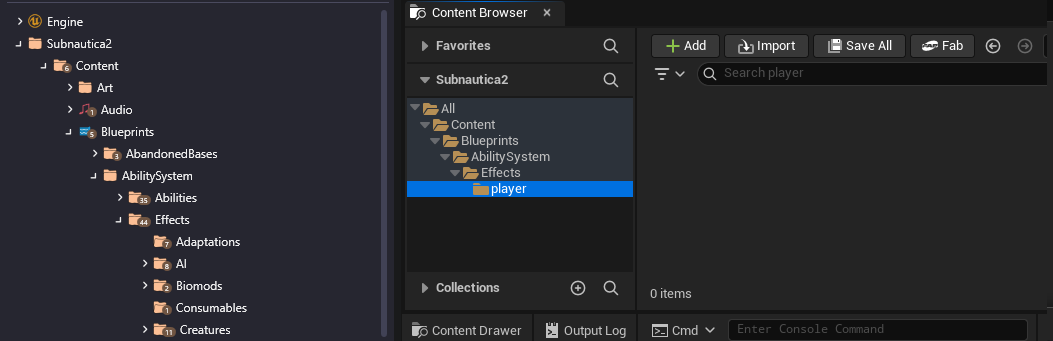
Click the “Content Drawer” in the bottom left.
-
Right click on “Content” and add a new folder, “Blueprints”.
-
Add additional folders in a hierarchy: AbilitySystem, Effects, player.
-
You may notice that the folder structure looks very much like the structure you see in FModel. This is intentional!
-
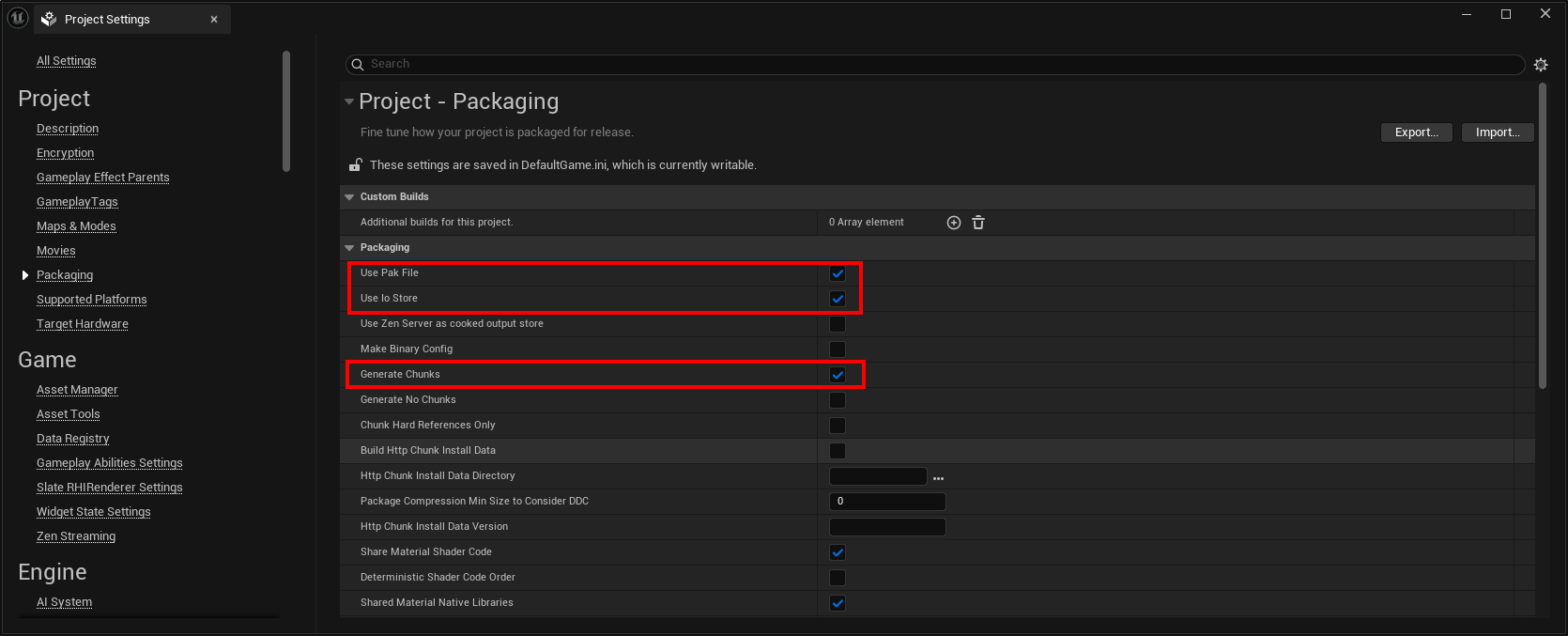
Go to Edit > Project Settings…
- Click “Packaging” and ensure these options are checked:
- Use Pak file
- Use Io store
- Generate chunks
-
Close the Project S
- Okay, that gives us a nice starter project to make some mods!